001-234-567-8910

5th Avenue Madson, NY758, USA

Get Update on our recent Gadgets & Tabs

Saturday, September 10, 2016

Free NexusFont 2.5.5

Efficient font manager and viewer

Download NexusFont 2.5.5
NexusFont is the perfect app for all those eager computer font collectors who have more font files than they can manage.

Download Font software

If you’re one of them, you definitely need something better that the default font manager shipped with Windows – and NexusFont is the perfect choice. This feature-rich font management tool includes all the options and functions you need to handle your font collection.

Download font software

Besides a clean, nicely designed interface that makes the program a pleasure to use, NexusFont offers a customizable preview for all your installed fonts, and the ability to organize fonts in different groups and sets.

Download font software

Other interesting extra features in NexusFont are a character map and a tool to detect duplicate fonts. NexusFont also lets you copy and move fonts between folders and save them as images.

Download font software
NexusFont is a complete, efficient tool to manage and review your font collection.

Download font software

Pros
Nice interface design
Use personal sample texts
Organize fonts in groups and sets
Includes a duplicate font detector

Cons
None worth mentioning


Similar Feature :- Free Punjabi Font


Friday, September 9, 2016

Free Punjab Font

 Punjabi Font Installation Guide

You need to install any of the punjabi unicode font to read or write punjabi , commonly used unicode punjabi font is Akshar . Please follow the instructions to install unicode punjabi in your system.

Download Punjabi Font

Step -1 Download Punjabi Font

Installation guide ! Punjabi Font
File Downlaod
Installation Guide ! Punjabi font
Punjabi Font

Installation Guide ! Punjabi font

Step -2 Copy Downloaded Font to clipboard

Free Punabi Font ! Punjabi Font


Step -3 Open fonts folder in windows

Open fonts folde in Window


Step -4 Paste Font

Paste Font ! Punjabi Font

Ascii Punjabi Fonts
There was no common punjabi ascii structure for the old fonts. so each vendors use different punjabi fonts with different keyboard layouts. this makes difficult with punjabi users as they need to install each punjabi font from different websites.
Unicode Punjabi Fonts
Unicode font is international and has common keyboard layout. Download unicode font for your language and install it on your system.

Downlaod Punjabi Font

Wednesday, September 7, 2016

Best Player for Window

KM Player 4.1.1.5 for Window

Excellent free multi-format media player
KMPlayer is a lightweight audio and video player for Windows that supports a wide range of different file formats, including AVI, ASF, WMV, AVS, FLV, MKV, and many more.
Features
KMPlayer has a small desktop footprint and its minimalist interface makes video playback quick and hassle-free. The player's interface is fully skinnable, and there are some nice aesthetic touches, such as the changing of colour on the player with every new track, and the ability to automatically import album art.
There are all sorts of options to help you pimp and customize KMPlayer, such as visualizations, plug-ins and playback options. But the beauty of KMPlayer is that these are turned on at your request rather than being forced upon you at the outset.
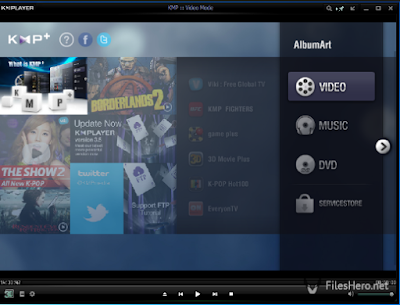
Excellent free multi-format media player
KM Player 4.1.1.5
Download KM Player 4.1.1.5 for Window
KMPlayer also supports 3-D formats and an option to add album
Quality
KMPlayer handles both audio and video, and supports a wide range of different formats, meaning that once installed, you should never need to touch another player.

Video playback is particularly impressive thanks to the range of processing tools available that allow you to sharpen, change picture properties, apply filters and even make video captures from within the program.
Conclusion
If you're looking for a customizable, light yet powerful video player, KMPlayer is exactly what you need.
What's new
The new cloud feature KMP Connect allows you to share your music and videos online with your friends.
Recent changes
- Added Instant View.
- Fixed Denial Of Service PoC(PlayList M3U) - Provided by: Jigsaw (Abdelmorite), KISA
- Modified default use of Internal Splitter(AVI) for streaming(http, https, ftp).
- Fixed TS source filter error.
- Supports FTP server(UTF-8).
- Added https streaming function.
- Added Subtitle resync function. (Ctrl+Alt+[, Ctrl+Alt+])
- Improved seek speed of MKV, MP4, FLV.
Pros
Highly customizable
Light on resources
Supports many audio and video formats

 iTunes 12.2.2 for Window

Still one of the best music players
iTunes is an audio and video player that lets you manage your iOS devices as well as download content from the iTunes store and use Apple Music. It's an all-in-one home for your music and video, although it's music where it really excels.
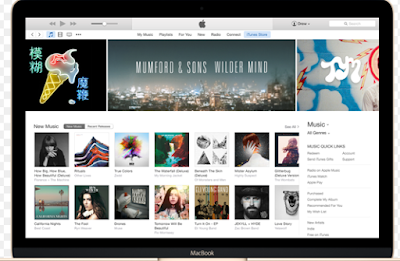
Still one of the best music players
iTunes 12.2.2
Download iTunes 12.2.2 for Window
Better than ever
Firstly, iTunes lets you import and manage your music files. It's a great music library, giving you lots of ways to browse and organize your music. You can easily make playlists manually, and set up automatic ones like 'recently added', that shows you what you imported over a set period of time. While iTunes doesn't support some formats like FLAC, it's still probably the best way to organise your music.

You can also browse and buy from the iTunes store. Here you can find music, podcasts, and video, plus anything you purchase is immediately available from any device where you sign into iTunes with your Apple account.

Apple Music is a streaming service inside iTunes. With a subscription, you have access to over 30 million songs in the Apple music library. It’s comparable to Spotify, although it doesn’t have the same social features of that app. Apple Music also features radio stations, from the live streaming Beats 1 with famous DJs, to auto-generated stations based on genre. You can start a station from any song you play too, and Apple Music’s algorithms will create a station starting from that. Read more about it here.

Manage your devices
iTunes is also a tool for managing your iOS devices; iPhones, iPads, and iPods. You can choose what music from iTunes you want to sync to your device, as well as books, movies, TV Shows, podcasts, and more. Once you get used to how iTunes sync works with iOS it's okay, but there are some annoyances.

The main problem is that you can't quickly plug in your device and update just the music, for example. As soon as you want to sync, that means doing a backup, copying apps from your device to your Mac and so on. When you're in a hurry, and just want to stick the latest album you’ve bought on your iPhone, this is really frustrating.

Despite this, backups are effective, and when you plug in a new device, you can quickly import your backup to it without any problems.

The complete package
While some people complain that iTunes does too much and is bloated, it's still a fast, efficient, and well organised media library. The movie and TV areas feel somewhat underdeveloped compared to music, but elsewhere iTunes excels. As a place to keep your music collection, it's reliable and really useful. With the addition of Apple Music, iTunes is pretty much the complete package.
Pros
Simplified interface
Apple Music streaming service
Improved playlist creation
Curated and automatic radio stations
Cons
Limited file formats supported
Amost overwhelming number of features!

VLC media player 2.2.4

Simply the best multi-format media player
If you want to play video or music files in just about any format, VLC media player is probably your answer.
Media player and more
VLC media player is the most stable, flexible and lightweight audio and video player around today, especially when compared to others that will play unusual formats after downloading a codec, or simply refuse to play things.
VLC media player 2.2.4 ! Window Player
VLC Media Player
Download VLC media player 2.2.4
The program handles tons of formats, from MPEG to FLV and RMBV files. V10 bit codes plus multi-threaded decoding for H.264, MPEG-4/Xvid and WebM, as well as the ability to play HD and BluRay.

Also useful is the fact that you can use VLC media player to preview files you are downloading since it plays incomplete parts of video files. VLC media player is not just for video playback however. It also offers superb integration with video channel streaming services such as Channels.com giving you access to channels such as ESPN, Reuters and National Geographic. Just right-click or CMD-click on the playlist, select Services Discovery and Channels.com.

Channels.com will then appear in your VLC media player playlist. Click on it to reveal the the different categories of channels available. Click on the category you want and a drop down list of all available channels appears in VLC media player. Just click on the channel you want to watch and streaming should begin almost immediately.
How does it work?
VLC media player also has great hotkey support and if you take the time to learn the shortcuts so it can be controlled without touching your mouse. If you're watching DVDs or video files through it, this is not an issue. For music, it plays more or less any file and features an equalizer and playlist creation. VLC media player isn't as intuitive as iTunes as a media manager, but it's a much more flexible player in terms of file formats. You can even use VLC to convert your files, and on top of all the formats and physical media it will play, many streaming protocols and TV capture cards are supported.

VLC media player makes it easy to add subtitles to your video files too - just add the SRT file to the folder where your video is kept, and it will automatically play with subtitles.

Finally, the interface in VLC media player has been somewhat improved in version 2 although it remains strictly functional. However, you can download skins to completely change VLC media player's appearance. The preferences menu is comprehensive without being overwhelming, and there is extensive documentation online.
Complete and free
VLC Media Player is quite simply the best multimedia application for Windows and Mac. It plays just about anything, hassle free - what more could you need?
VLC media player supports the following formats
MKV, WMV, MPEG, MP4, MOV, AVI, DIVX, XVID, FLV, FLAC, WAV, REAL, VOB plus many more
Pros
Supports a wide range of formats
Good hotkey support
Easy to use
Very flexible and lightweight
Integration with web channel streaming services
Improved interface in version 2
More format support in version 2
Plays BluRay and HD
Cons
User interface is quite basic
User interface slicker in Mac version

Backup Software AOMEI Backupper Standard

AOMEI Backupper Standard is the simplest FREE PC backup, restore and clone software for Windows 10, Windows 8.1, Windows 8, Windows 7, Vista, and XP (all editions, 32/64-bit).

 AOMEI Backupper Standard ! Backup Software
New Updated Backup software
It supports system/disk/partition/files/folders backup, restore and clone as well as provides file sync, schedule, incremental, differential backups, backing up to NAS and shared network folder, dynamic disk volumes backup, GPT disk backup, backing up & restoring system drive based on UEFI boot, creating Windows PE & Linux bootable CD, manually adding additional drivers when creating Windows PE Bootable CD, partition alignment to optimize SSD during restoring or cloning operation, sending email notifications, backing up or restoring files from a network to another, editing task name and the directory of backup images, backup logs management, exporting or importing all backup tasks, start up multiple client machines within LAN through the PXE network booting by using AOMEI Windows PE and Linux micro-system or your own personalized bootable image file on a master machine for system maintenance, etc.

The unique function of this backup freeware is universal restore, which enables you to recover or migrate a system to physical or virtual machines with dissimilar/different hardware. Another highlight is VSS, a technology from Microsoft that enables system and data backup processes won't be interrupted by running applications. So it is very efficient because backup can still be available when you're working. Besides, this version is free for home users and commercial users.

What's new in this version:

Added event-triggered scheduling backups: automatically perform backup tasks in real-time when user logon, user logoff, system startup and system shutdown.
Support to run one time only everyday when setting up the event-triggered scheduling backups.
Support to perform scheduled backup tasks whether a user is logged on or not.
Support to choose a network mapped drive as the destination.
Support to simultaneously choose multiple files and folders.
What's new in version 3.5
Added event-triggered scheduling backups: automatically perform backup tasks in real-time when user logon, user logoff, system startup and system shutdown.
Support to run one time only everyday when setting up the event-triggered scheduling backups.
Support to perform scheduled backup tasks whether a user is logged on or not.
Support to choose a network mapped drive as the destination.
Support to simultaneously choose multiple files and folders on the network drive as the source.
Support to prevent computer from automatically sleeping during the backup process.
Support to automatically invoke the tray notification to show the progress if you close main window during backup or sync process, and then continue to perform backup or sync task in the background.
Optimized the characters of sharing information to unlock system clone.
Optimized email forms: send email notification via text or html.
Optimized the email notification sending modes: provide hotmail and gmail SMTP modes.
Optimized the solution to the destination path is too long when performing file backup and file sync.
Enhanced the stability to connect the Share/NAS.
Fixed issue: display error code 4107 when checking the image file after backing up to Share/NAS.
Fixed issue: "Failed to enable VSS......" during the backup process.
Fixed issue: the virtual partition is not accessible caused by access permission when you explore an image file.
General
Publisher        Aomei Tech
Publisher web site http://www.aomeitech.com
Release Date         July 11, 2016
Date Added         July 12, 2016
Version                 3.5
Category
Category Utilities & Operating Systems
Subcategory           Backup Software
Operating Systems
Operating Systems Windows 2000/XP/Vista/7/8/10
Additional Requirements None
Download Information
File Size 78.95MB
File Name                   BackupperFull.exe
Popularity
Total Downloads           848,114
Downloads Last Week   6,128
Pricing
License Model Free
Limitations Not available
Price          Free

Tuesday, September 6, 2016

Recuva 1.52.1086

Recover accidentally deleted files
Recuva is a supremely user-friendly file recovery tool.

Deleting files by accident is something that happens more often than you think, no matter how computer literate you are. This is why it's always a good idea to have a tool like Recuva. With Recuva (pronounced as "recover") you can restore files that have been accidentally deleted from the computer, a USB drive, an MP3 player or even a memory card from your photo camera.

Recover accidentally deleted files
Recuva 1.52.1086
Download Recuva 1.52.1086 for Window
A very handy recovery wizard takes all the guesswork out of finding your files. All you have to do is select they type of file you want to recover (photos, emails, videos, etc.) and where it's likely to be (recycle bin, on a media card, etc.). As soon as Recuva's finished, you'll see a list with all the recoverable files, which you can sort in several ways or search with a customizable filter tool. Then simply select the files you want to recover and you're ready to go.

Obviously Recuva is just a software tool and can't perform miracles. The sooner you use the program after deleting files, the more chance you have of recovering them. Also, try saving them to a different drive: it improves the success percentage.

If you've accidentally deleted some important files, don't freak out: try using Recuva and you'll probably be able to restore them!

Recent changes
Added content searching for specific text in deleted files
Added regular expression matching to the filter
Added preliminary support for Windows 8
Improved support for BartPE (added new folder creation)
Fixed filter drop down highlight issue
Improved recovery of compressed files from drives with non-standard cluster size
Many minor UI improvements
Latvian language added
Pros
Very easy to use
Gives you a last chance to restore deleted files
Deep scan option
Cons
Results are not guaranteed
Scans can be slow, especially Deep Scans

KMPlayer 4.1.1.5

Excellent free multi-format media player
KMPlayer is a lightweight audio and video player for Windows that supports a wide range of different file formats, including AVI, ASF, WMV, AVS, FLV, MKV, and many more.
Features
KMPlayer has a small desktop footprint and its minimalist interface makes video playback quick and hassle-free. The player's interface is fully skinnable, and there are some nice aesthetic touches, such as the changing of colour on the player with every new track, and the ability to automatically import album art.
There are all sorts of options to help you pimp and customize KMPlayer, such as visualizations, plug-ins and playback options. But the beauty of KMPlayer is that these are turned on at your request rather than being forced upon you at the outset.

Excellent free multi-format media player
KM Player 4.1.1.5
Download KM Player 4.1.1.5 for Window
KMPlayer also supports 3-D formats and an option to add album
Quality
KMPlayer handles both audio and video, and supports a wide range of different formats, meaning that once installed, you should never need to touch another player.

Video playback is particularly impressive thanks to the range of processing tools available that allow you to sharpen, change picture properties, apply filters and even make video captures from within the program.
Conclusion
If you're looking for a customizable, light yet powerful video player, KMPlayer is exactly what you need.
What's new
The new cloud feature KMP Connect allows you to share your music and videos online with your friends.
Recent changes
- Added Instant View.
- Fixed Denial Of Service PoC(PlayList M3U) - Provided by: Jigsaw (Abdelmorite), KISA
- Modified default use of Internal Splitter(AVI) for streaming(http, https, ftp).
- Fixed TS source filter error.
- Supports FTP server(UTF-8).
- Added https streaming function.
- Added Subtitle resync function. (Ctrl+Alt+[, Ctrl+Alt+])
- Improved seek speed of MKV, MP4, FLV.
Pros
Highly customizable
Light on resources
Supports many audio and video formats

iTunes 12.2.2

Still one of the best music players
iTunes is an audio and video player that lets you manage your iOS devices as well as download content from the iTunes store and use Apple Music. It's an all-in-one home for your music and video, although it's music where it really excels.

Still one of the best music players
iTunes 12.2.2
Download iTunes 12.2.2 for Window
Better than ever
Firstly, iTunes lets you import and manage your music files. It's a great music library, giving you lots of ways to browse and organize your music. You can easily make playlists manually, and set up automatic ones like 'recently added', that shows you what you imported over a set period of time. While iTunes doesn't support some formats like FLAC, it's still probably the best way to organise your music.

You can also browse and buy from the iTunes store. Here you can find music, podcasts, and video, plus anything you purchase is immediately available from any device where you sign into iTunes with your Apple account.

Apple Music is a streaming service inside iTunes. With a subscription, you have access to over 30 million songs in the Apple music library. It’s comparable to Spotify, although it doesn’t have the same social features of that app. Apple Music also features radio stations, from the live streaming Beats 1 with famous DJs, to auto-generated stations based on genre. You can start a station from any song you play too, and Apple Music’s algorithms will create a station starting from that. Read more about it here.

Manage your devices
iTunes is also a tool for managing your iOS devices; iPhones, iPads, and iPods. You can choose what music from iTunes you want to sync to your device, as well as books, movies, TV Shows, podcasts, and more. Once you get used to how iTunes sync works with iOS it's okay, but there are some annoyances.

The main problem is that you can't quickly plug in your device and update just the music, for example. As soon as you want to sync, that means doing a backup, copying apps from your device to your Mac and so on. When you're in a hurry, and just want to stick the latest album you’ve bought on your iPhone, this is really frustrating.

Despite this, backups are effective, and when you plug in a new device, you can quickly import your backup to it without any problems.

The complete package
While some people complain that iTunes does too much and is bloated, it's still a fast, efficient, and well organised media library. The movie and TV areas feel somewhat underdeveloped compared to music, but elsewhere iTunes excels. As a place to keep your music collection, it's reliable and really useful. With the addition of Apple Music, iTunes is pretty much the complete package.
Pros
Simplified interface
Apple Music streaming service
Improved playlist creation
Curated and automatic radio stations
Cons
Limited file formats supported
Amost overwhelming number of features!

Backup Software for Mobile

Backup Your Mobile

Backup Your Mobile is another basic solution for those who don’t need a lot of features. It can backup a lot of things including apps, system settings, SMS, MMS, call logs, and other various bric-a-brac. The UI is fairly simple and using it to backup stuff should only take a few minutes of poking around. Some have reported that transferring data to a new device and restoring is a little complicated and bugs have been reported sporadically so your mileage may vary. It is free so there’s no harm in trying it out.
Backup your mobile ! android
Mobile Backup

Application can backup and restore: Contacts, SMSes, MMSes, Call logs, System settings, Secure system settings, Wifi passwords, User dictionary, APNs, Calendar events, User applications, Bookmarks and browser history.
Backups are stored on SD card or in device memory, it is also possible to store data on Google Drive, Dropbox or OneDrive (SkyDrive).

It is possible to schedule automatic backups. Application can automatically upload backups to Google Drive, Dropbox or OneDrive (SkyDrive).

It is possible to copy data from one device to another by uploading and downloading backups to/from Google Drive, Dropbox, OneDrive, by moving SD card from one device to another or by copying BackpYourMobile folder between devices.

Important information:
1) After installing the appl please read FAQ (in app menu)

2) In case of any problems after contacts restore please check Contacts Display options.

3) System settings and secure system settings should be restored on the same android version and the same device.
If you restore settings on different android version or different device, some settings will not be restored.

4) APNs visibility depends on mobile network, restored APNs from other mobile network will not be visible in settings.

5) Wifi passwords and secure system settings requires root and are in experimental phase, please send me information do they work on your devices. I suggest take backup with another app.

6) Wifi passwords - before restore on clean system Wifi must be turn on and turn off.
7) Messages send by 'Google Error Report' are anonymous, it is impossible to reply.

Please contact me if you'd like to translate the app to your language.

Detailed functions.
Backup and restore of:
- Contact
- SMS (text message)
- MMS (multimedia message)
- Call log
- Bookmark (stock browser)
- Browser History (stock browser)
- System Setting
- User Dictionary
- APN (Access Point Name) restore don’t work on Android 4.x, neither backup nor restore work on Android 4.2, because Google changed security policy, it is possible to enable experimental workaround for rooted devices in advanced menu.
- Calendar events - events only, calendar must be created by android synchronization
- Secure system settings - restore works on rooted devices only.
- Wifi passwords - works on rooted devices only.
- User applications
- Applications data (root only)

Backups can be encrypted with strong AES 256 encryption method.

Storage backups online (internet) to Google Drive, Dropbox or OneDrive (SkyDrive)

Backup Software for Mac

Carbon Copy Cloner

Carbon Copy Cloner backups are better than ordinary backups. Suppose the unthinkable happens while you're under deadline to finish a project - your Mac is unresponsive and all you hear is an ominous, repetitive clicking noise coming from its hard drive. With ordinary backups, you'll spend your day rushing out to a store to buy a new hard drive and then sit in front of your computer reinstalling the operating system and restoring data.

With Carbon Copy Cloner, your data and the operating system's data are all preserved impeccably on a bootable volume, ready for production at a moment's notice. When disaster strikes, simply boot from your backup and get back to business. Replace the failed hard drive at your convenience, and then restore all of your stuff in one easy step.
Any backup application can save your stuff. A CCC bootable backup will save your productivity as well!
Carbon Copy Cloner ! Backup software for mac
Carbon Copy Cloner


What's new in this version:

If a backup task was configured to back up the startup disk, but the user had excluded system files from the backup task, CCC would avoid recreating startup caches on the destination. CCC logged this uninteresting non-event, but the logging of that event was causing a crash. That crash occurred at the very end of a usually-successful backup task, but resulted in a task history event not being recorded. We fixed that crasher.
CCC 4.1.8 raises a configuration concern if the dest What's new in version 4.1.9
If a backup task was configured to back up the startup disk, but the user had excluded system files from the backup task, CCC would avoid recreating startup caches on the destination. CCC logged this uninteresting non-event, but the logging of that event was causing a crash. That crash occurred at the very end of a usually-successful backup task, but resulted in a task history event not being recorded. We fixed that crasher.
CCC 4.1.8 raises a configuration concern if the destination is a USB device larger than 2TB. This update addresses an issue in which CCC would raise that concern for USB devices larger than 2GB.
CCC will now unmount (with force, if necessary) the Recovery HD associated with the source volume before attempting to create an archive of that volume. This addresses an issue in which various third-party utilities (especially Antivirus software) would dissent an ordinary unmount request, causing the attempt to archive the Recovery HD to fail.
General
Publisher Bombich Software
Publisher web site http://www.bombich.com
Release Date June 21, 2016
Date Added June 21, 2016
Version 4.1.9
Category
Category                    Utilities & Operating Systems
Subcategory              Backup Software
Operating Systems
Operating Systems                Mac OS X 10.10/10.8/10.9
Additional Requirements None
Download Information
File Size 12.38MB
File Name ccc-4.1.9.4365.zip
Popularity
Total Downloads 233,168
Downloads Last Week 195
Pricing
License Model     Free to try
Limitations     30-day trial

Monday, September 5, 2016

Backup Software for Windows

Lazesoft Recovery Suite Home 

Lazesoft Recovery Suite will let you backup important files or your entire hard drive, and then restore from the backup whenever you need. With several different functions bundled together, this app provides a versatile solution to your computer backup needs.
Lazesoft Recovery Suite Home Edition
Free all-in-one data and Windows system recovery tools package/CD/DVD/USB disk, every Windows user should have. Every Windows User should get a Lazesoft Recovery Suite Home Edition, an free instant data and system recovery kit, to ensure protection. With a series of easy-to-use utilities on Lazesoft Recovery Suite Home Edition Recovery CD/boot disk, you can recover your data even if file deleted, partition formatted, you can repair your Windows even if Windows crashed, you can reset your windows login password even if you forgot it. With Lazesoft Recovery Suite Home Edition, just three steps to recover your data, repair Windows system or reset Windows password. It is easy as 1, 2, 3. Create an Free Lazesoft Recovery Suite Recovery CD or USB disk by yourself, then boot PC from it to fix most of computer problems easily and instantly. Main Components of Lazesoft Recovery Suite: Lazesoft Windows Recovery - Windows System Recovery, Fix Windows boot problems Lazesoft Data Recovery - Data Recovery, recover data from deleted, formatted, damaged disk/drive/partition Lazesoft Recover My Password - Windows Password Recovery Lazesoft Disk Image & Clone - Disk Backup, Clone and Partition Manager

Backup Software for Windows
Lazesoft Recovery Suite

What's new in this version:
Version 4.1:
Fixed a bug when building boot disk on Windows 8.1
Pros
Multiple functions: When you open this program, you're presented with a dashboard that offers several options for you to choose from. You can Burn a CD/USB Backup, or you can complete a Windows Recovery, Data Recovery, Disk Image and Clone, or a Password Recovery.

Lots of help: No matter which item you pick, a Wizard will open up in a new window to guide you through the process. And if you need more help than that, you can refer to the Help file, which offers step-by-step instructions complete with screenshots.

Cons
Challenges for novice users: Even with all of the available Help, certain aspects of this program can be overwhelming to novice users. The Disk Image and Clone option in particular require you to make a lot of technical decisions, and there is a lot of information presented at once at each step along the way.

Bottom Line
Lazesoft Recovery Suite Home is a good option for backing up your computer and recovering data if something goes wrong. Although it tries to make all features accessible to all users, some features still require a bit of technical knowledge to take full advantage of. The program is free, however, so it's definitely worth trying out to see if it's a good match for you.

Macrium Reflect Free Edition

 Macrium Reflect Free Edition allows you to back up your entire computer and schedule backups. For a free program, you get incredibly powerful software that allows you to create effective backups.
Macrium Reflect Free Edition. An award winning disk cloning and imaging solution for free. Protect your personal documents, photos, music and e-mails. Upgrade your hard disk or try new operating systems in the safe knowledge that everything is securely saved in an easily recovered backup file. Macrium Reflect supports backup to local, network and USB drives as well as burning to all DVD formats. This version is for non-commercial home use.
What's new in this version:

 Macrium Reflect Free Edition ! Backup software
Macrium Reflect free Edition

Windows 10 DVD/CD rescue media was only able to boot legacy MBR after installing release v6.2.1495. This has been resolved.
This release contains changes to the Macrium Reflect process execution and Service to overcome scheduling problems with the Windows 10 Anniversary Update.
More information can be found on these problems here
The number of Windows Tray Notifications shown when a scheduled backup starts has been reduced.
What's new in version 6.2.1502

  • Windows 10 DVD/CD rescue media was only able to boot legacy MBR after installing release v6.2.1495. This has been resolved.
  • This release contains changes to the Macrium Reflect process execution and Service to overcome scheduling problems with the Windows 10 Anniversary Update.
  • More information can be found on these problems here
  • The number of Windows Tray Notifications shown when a scheduled backup starts has been reduced.
  • Reflect could occasionally 'hang' for many seconds before shutting down. The exit and cleanup functionality has been improved.

When UEFI booting Windows PE rescue media, mounted images could fail to open in PE Explorer. This has been resolved.
General
Publisher Macrium Software
Publisher web site http://www.macrium.com
Release Date August 11, 2016
Date Added August 11, 2016
Version 6.2.1502

Operating Systems
Operating Systems Windows XP/2003/Vista/Server 2008/7/8/10
Additional Requirements None
Download Information
File Size 3.38MB
File Name ReflectDL.exe
Popularity
Total Downloads 5,154,902
Downloads Last Week 1,534
Pricing
License Model Free
Limitations Not available
Price Free


Download Windows 10

Do you want to install Windows 10 on your PC?
Download and run the media creation tool to get started. For more information on how to use the tool, see the instructions below.

Do you want to install Windows 10 on your PC
Window 10
Using the tool to upgrade this PC to Windows 10 (click to show more or less information)
Here’s when to use these instructions:
You bought Windows 10 and are upgrading this PC from Windows 7 or Windows 8.1.
You need to reinstall Windows 10 on a PC on which you’ve already successfully activated Windows 10.
If you are installing Windows 10 on a PC that runs Windows XP or Windows Vista, or if you need to create installation media to install Windows 10 on a different PC, see the section below entitled Using the tool to create installation media (USB flash drive, DVD, or ISO file) to install Windows 10 on a different PC.
Note: Before you install Windows 10, check that your PC meets the system requirements for Windows 10. We also recommend going to the PC manufacturer's website for any additional info about updated drivers and hardware compatibility.
Select Download tool, then select Run. You need to be an administrator to run this tool.
On the Licence terms page, select Accept if you accept the licence terms.
On the What do you want to do? page, select Upgrade this PC now and then select Next.
The tool will start downloading and then installing Windows 10. This table shows which edition of Windows 10 will be installed on your PC. Windows 10 Enterprise isn’t available in the media creation tool. For more info, go to the Volume Licensing Service Centre.

Your Current edition of Window
Window Edition 
The tool will walk you through how to set up Windows 10 on your PC. During setup, you might be asked to enter a product key.
If you bought Windows 10 and are installing it for the first time, you’ll need to enter the Windows 10 product key you received in the confirmation email after your purchase. If you don’t have a product key and you’ve not previously upgraded to Windows 10, select I need to buy a Windows 10 product key.
If you’ve upgraded to Windows 10 on this PC and you’re reinstalling it, you don’t need to enter a product key. Your copy of Windows 10 will activate automatically later, using your digital licence.
When Windows 10 is ready to install, you’ll see a recap of what you’ve chosen and what will be kept during the upgrade. Select Change what to keep to set whether you would like to Keep personal files and apps, or Keep personal files only, or choose to keep Nothing during the upgrade.
Save and close any open apps and files you may be running and, when you’re ready, select Install.
It might take some time to install Windows 10, and your PC will restart a few times. Make sure you don’t turn your PC off.

Using the tool to create installation media (USB flash drive, DVD or ISO file) to install Windows 10 on a different PC (click to show more or less information)
Follow these steps to create installation media (USB flash drive or DVD) that you can use to install a new copy of Windows 10, perform a clean installation or reinstall Windows 10.
Before you download the tool make sure you have:
An internet connection (internet service provider fees may apply).
Sufficient available data storage for the download, on a computer, USB or external drive.
A blank USB flash drive or DVD (and DVD burner) with at least 4 GB of space if you want to create media. We recommend using a blank USB or blank DVD, because any content on it will be deleted.
A Windows 10 product key if you are installing it for the first time or if your PC did not have Windows 10 pre-installed by the PC manufacturer.
Check a few things on the PC where you want to install Windows 10:

  • 64-bit or 32-bit processor (CPU). You’ll create either a 64-bit or 32-bit version of Windows 10. To check this on your PC, go to PC info in PC settings or System in Control Panel, and look for System type.
  • System requirements. Make sure the PC meets the system requirements for Windows 10. We also recommend going to the PC manufacturer's website for additional info about updated drivers and hardware compatibility.
  • Language in Windows. You'll need to choose the same language when you install Windows 10. To see what language you're currently using, go to Time and language in PC settings or Region in Control Panel.
  • Edition of Windows. You should also choose the same edition of Windows. To check which edition you're currently running, go to PC info in PC settings or System in Control Panel and look for Windows edition. Windows 10 Enterprise isn’t available in the media creation tool. For more info, go to the Volume Licensing Service Centre.
  • Microsoft Office products. If you just purchased a new device that includes Office 365, we recommend redeeming (installing) Office before upgrading to Windows 10. To redeem your copy of Office, please see Download and install Office 365 Home, Personal or University on your PC. For more information, check How to upgrade to Windows 10 on new devices that include Office 365.

If you have Office 2010 or earlier and choose to perform a clean install of Windows 10, you will need to locate your Office product key. For tips on locating your product key, check Find your Office 2010 product key or Enter the product key for your Office 2007 program.
Using the tool to create installation media:

  • Select Download tool now and select Run. You need to be an administrator to run this tool.
  • If you agree to the licence terms, select Accept.
  • On the What do you want to do? page, select Create installation media for another PC and then select Next.
  • Select the language, edition, and architecture (64-bit or 32-bit) for Windows 10. This table will help you decide which edition of Windows 10 you’ll choose:
Your current edition of Windows
Window 10 Edition 


Select which media you want to use:

  • USB flash drive. Attach a blank USB flash drive with at least 4 GB of space. Any content on the flash drive will be deleted.
  • ISO file. Save an ISO file to your PC, which you can use to create a DVD. After the file has downloaded, you can go to the location where the file is saved or select Open DVD burner and follow the instructions to burn the file to a DVD. For more info about using an ISO file, see the section below entitled Additional methods for using the ISO file to install Windows 10.

After the installation media is created, follow the steps below to use it.

Using the installation media you created (click to show more or less information)
Before you install Windows 10, it’s a good idea to save any work and back up your PC before you start. If you used the media creation tool to download an ISO file for Windows 10, you’ll need to burn it to a DVD before following these steps.

  • Attach the USB flash drive or insert the DVD into the PC on which you want to install Windows 10.
  • Restart your PC and then press any key to boot from the USB flash drive or the DVD.If you restart your PC and your current version of Windows starts, you might have to open a boot menu or change the boot order in your PC's BIOS or UEFI settings, so that your PC boots from the media. To open a boot menu or change the boot order, you'll typically need to press a combination of keys (such as F2, F12, Delete, or Esc) immediately after you turn on your PC. For instructions on changing the boot order for your PC, check the documentation that came with your PC or go to the manufacturer's website. If changing the boot menu or order doesn't work, try again by signing in to Windows, shutting down and then starting your PC.
  • On the Install Windows page, select your language, time and keyboard preferences, and then select Next.
  • Select Install Windows.


Additional methods for using the ISO file to install Windows 10 (click to show more or less information)
If you downloaded an ISO file for Windows 10, the file is saved locally at the location you selected. If you have a third-party DVD burning program installed on your computer that you would prefer to use to create the installation DVD, you might be able to open that program by going to the location where the file is saved and double-clicking the ISO file. Or, you can right-click the ISO file, select Open with and choose your preferred DVD burning software.
If you want to use the Windows Disk Image Burner to create an installation DVD, go to the location where the ISO file is saved. Right-click the ISO file and select Properties. On the General tab, click Change and select Windows Explorer for the program you would like to use to open ISO files and select Apply. Then right-click the ISO file and select Burn disc image.
If you want to install Windows 10 directly from the ISO file without using a DVD or flash drive, you can do so by mounting the ISO file. This will perform an upgrade of your current operating system to Windows 10.
To mount the ISO file:

  • Go to the location where the ISO file is saved, right-click the ISO file and select Properties.
  • On the General tab, click Change… and select Windows Explorer for the program you would like to use to open ISO files and select Apply.
  • Right-click the ISO file and select Mount.
  • Double-click the ISO file to view the files within it. Double-click setup.exe to start Windows 10 setup.

More download options
Sign in to the Volume Licensing Service Centre to download Enterprise editions.
Sign in to your subscription on the MSDN Portal for MSDN downloads.
Visit the Windows Insider site to download Insider Preview builds
Visit the Download Academic Products page for Education editions (product key required).

Anti-Malware for Mobile

Take your anti-malware protection to go. 
Download for free:
Get On Google Play
Available at Amazon
Powerful, lean protection for your Android device
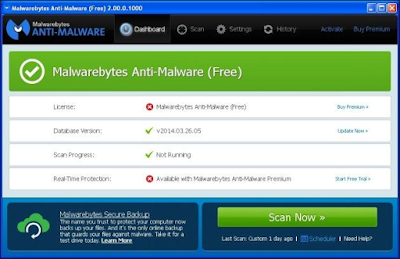
The people you trust to protect your computer now protect your Android device. Malwarebytes Anti-Malware Mobile guards your identity and personal data on-the-go. So you and your Android smartphone or tablet are safe from malware, infected applications, and unauthorized surveillance. Wherever you are. Whenever you go.

Malwarebytes Anti-Malware for Mobile ! Anti-Malware for Mobile
Anti Malware Mobile


The world’s most popular anti-malware technology has now gone mobile! Malwarebytes Anti-Malware Mobile protects your phone or tablet from malware, infected apps, and unauthorized surveillance.
Malwarebytes Anti-Malware for Mobile ! Anti-Malware for Mobile
Your Device Caption

Features
Anti-Malware/Anti-Spyware
Proactively scans applications and files for malware and spyware
Scans native memory and SD card
Identifies Potentially Unwanted Programs (PUPs) for removal
Scans automatically when files or apps are accessed (real-time) or only when activated manually (on-demand)
Malwarebytes Anti-Malware for Mobile ! Anti-Malware for Mobile
Privacy Audit

Process Automation
Schedules automatic scans
Updates the protection database automatically
Color codes device health issues by severity automatically
Updates over a WiFi network if preferable
Privacy Manager
Identifies every application's access privileges in detail
Breaks down access privileges by category: Contacts, Identity Information, Simple Message Service (SMS), and Security Settings
Security Audit
Identifies security vulnerabilities on the device, suggests remediation
Application Manager
Identifies which applications are currently running
Identifies installed applications
Enables custom whitelisting of approved apps
Changes
Version  2.0.5 / May 3, 2016
Kindle device rotation problem fix
Turkish language support (Türkçe Dil Desteği)
More Memory leak fixes
Lots of Bug fixes

Related Features :- 

Saturday, September 3, 2016

Anti-Malware for Mac

Removes adware and malware. And it’s free.
Malwarebytes Anti-Malware for Mac scans for and removes code that degrades performance or attacks your system. Making your Mac, once again, your Mac.
Download of app updates is now using HTTPS for greater security

Removes adware and malware. And it’s free.
Anti Malware for Mac

Added detection of extensions installed in Chrome or Firefox profiles other than the default profile
Fixed a bug that caused failure of some files to be removed
Fixed a bug that caused files to fail to be detected in rare conditions
Fixed a bug that caused false positives with login items in rare conditions
Fixed a bug that caused incorrect display of some login items in system snapshots
No longer display Apple extensions in the kernel extension list in system snapshots
Fixed bug that prevented self-updating
pecializes in adware removal
Custom-built technology detects and removes adware. Proprietary database identifies over 160 adware variants.
Download Anti-Malware for Mac
Malwarebytes ultra fast scanning
Typically takes only six seconds to complete a scan.

Malwarebytes Anti-Malware for Mac is light and lean
Only the size of two digital music files. That means more disk space for your movies, music, and apps.

Malware removal 
Anti-malware removes malware from your Mac, including Trojans.
Languages Available
English
Hardware Requirements
Core 2 Duo CPU or faster
2 GB RAM
40 MB free hard disk space
800 x 650 minimum screen resolution
Active Internet connection for database and product updates
Software Requirements
Mac OS X 10.8 (or higher)

Anti-Malware 2.0

Malwarebytes Anti-Malware 2.0 is a substantial update to the famed malware-killing machine; the latest version integrates rootkit detection directly into the software and sports a more streamlined interface.
From Malwarebytes: Malwarebytes Anti-Malware combines powerful new technologies built to seek out, destroy, and prevent malware infections.
Malwarebytes Anti-Malware is an easy-to-use anti-malware application available in both a Free and Premium version. The Free version is well-known for its detection and removal capabilities, and the Premium version uses advanced protection technologies to proactively stop malware infections. Additionally, Malwarebytes offers a host of extra utilities as well as an approachable forum community to help you combat any piece of malware that exists in the wild.

Anti-Malware 2.0 ! softwarecorner
Anit-Malware 2.0

What's new in this version:
Improvements:
Context Menu scanning option is now enabled by default. Note if you had this option disabled previously and want to retain that setting, you must disable again manually this one time only. Future updates will retain the setting properly
Improved renewal experience for those who purchased in retail store so that the original license key is retained post-renewal instead of requiring that a new key be entered and activated
What's new in version 2.2.1.1043
Improvements:
Context Menu scanning option is now enabled by default. Note if you had this option disabled previously and want to retain that setting, you must disable again manually this one time only. Future updates will retain the setting properly
Improved renewal experience for those who purchased in retail store so that the original license key is retained post-renewal instead of requiring that a new key be entered and activated
Improved End of Trial experience so it is clear that trial has expired and real-time protection is no longer available
Added additional license checks to ensure subscription details are updated as quickly as possible after a renewal is processed
Updated company and product logos with new logo
For Premium subscription licenses, removed Renew button from My Account screen to avoid confusion over license term
Download Anti-Malware 2.0
Issues Fixed:
Fixed security vulnerability to ensure database updates are downloaded over SSL connections only
Fixed crash that occurred if Dell Backup and Recovery software was installed on same system]
Fixed issue where scheduled scan did not honor weekly recurrence properly *Fixed issue where license expiration notices were incorrectly displaying multiple times in rapid succession
Fixed issue where the Scheduler would continue to run in certain cases after a trial had expired
Fixed issue where the update progress bar on the Dashboard would appear to hang and would never complete
General
Publisher Malwarebytes
Publisher web site https://www.malwarebytes.com/
Release Date March 18, 2016
Date Added March 18, 2016
Version 2.2.1.1043
Category
Category Security Software
Subcategory Anti-Spyware
Operating Systems
Operating Systems Windows XP/2003/Vista/Server 2008/7/8
Additional Requirements None
Download Information
File Size 21.79MB
File Name                     mbam-setup-cnet.35891-2.2.1.1043.exe
Popularity
Total Downloads         142,247,048
Downloads Last Week 138,819
Pricing
License            Model Free
Limitations Not available
Price          Free

Related Features :-

Friday, September 2, 2016

Software Utilities

Express Zip File Compression 

An easy file compression tool to quickly create and manage zip files, plus extract from many archive formats including zip, rar ,7z and more.
Zip Software to Compress Files & Folders Easily

Express Zip is an archiving and compression tool to create, manage, and extract zipped files and folders.
  • Fast and efficient file zipping and unzipping
  • Compress files for email transmission
  • Open rar, 7z, tar, cab and more data archive formats
  • Small download; install and compress or extract in seconds
Download Express Zip for Windows
Get it Free. A free version of Express Zip is available for non-commercial use only. Download the free version here which does not expire and includes most of the features of the professional version.
Express Zip Features
  • Create new zip files quickly
  • Open and extract popular archive formats including zip, rar, cab, tar, 7z, iso, and more
  • Manage zip files by editing or moving contents
  • Encrypt zip files or open encrypted archives
  • Email zip files in two easy clicks
  • Convert archives to zip from other formats
  • Burn archived files to CD/DVD for long term backup
  • Right-click menu options to Compress or Extract directly from your file browser
  • Split large zip files into smaller parts with multi-part split zip archives
  • Easy drag and drop functionality
  • Versatile command line features for automation
Compress and Share
The zip file format is one of the most widely used formats for cross-platform data exchange, making zip files ideal for not only compression and archiving, but also file sharing.
System Requirements
Works on Windows 7, XP, Vista, 8, 8.1 and 10
Mac OS X 10.4 or later


Express Zip File Compression  ! Software for Utilities
Express zip file compression

Key Blaze Typing Tutor Software

Learn how to touch type and improve your typing speed with lesson and typing speed test in this user - friendly typing tutor software programme.
Learn to Touch Type, Complete with Typing Games
The easiest typing tutor software available today for anyone
to quickly learn speed typing, 10-key and touch typing.
  • Perfect for people of all skill levels
  • Improve and test your typing speed and accuracy
  • Learn to type effectively and efficiently in no time
  • Improve your typing to improve your résumé
Download KeyBlaze Typing Tutor for Windows

Touch Typing Tutor Features
  • Typing lessons for home keys, neighbor keys, capitalization, punctuation, numbers and more
  • Practice exercises include drills, prose, poems and more
  • Typing games included, a fun way to improving typing skills
  • Dictation audio exercises for transcription practice
  • Initial skills test to determine current level
  • Test typing skills at various interval durations
  • Calculates net and gross words per minute WPM
  • Keyboard highlighting shows correct finger placement
  • Identify troublesome words & characters needing more practice
  • Import custom lessons, drills, and speed tests
  • Set personal words per minute speed goals
  • Printable course completion certificates
  • 10 key number pad lessons
  • Quick and easy operation
Get it Free. Download the free version of KeyBlaze here to improve or start learning how to type now. You can always upgrade later for additional typing lessons, professional exercises and other custom features.
System Requirements
Works on Windows 7, XP, Vista, 8, 8.1 and 10
Mac OS X 10.4 or later

Key Blaze Typing Tutor Software ! Software for Utilities
Key Blaze Typing Tutor Software

Classic FTP-FTP Client Software 

Easy and reliable FTP client software. View, edit , upload, download , delete and otherwise manage files on a remote server , website and network.
Easily maintain your website with this FTP client
Classic FTP is the most stable and comprehensive ftp client program available and is very easy to use.
  • Upload or download files quickly and easily
  • Secure file transfer using FTP SSL
  • Compatible with all popular FTP servers

Download Classic FTP for Windows
File Transfer Features

  • The intuitive user interface makes uploading files to the internet easy
  • The Synchronize tool checks local and remote folders for the most up-to-date copies of everything
  • Easily drag and drop files in and out of Classic FTP
  • Supports the secure FTP protocol (SSL)
  • Compatible with all popular FTP servers
  • Runs on both Windows and Apple Mac OS X
  • Easy setup wizard to help you establish FTP site connections

System Requirements
Works on Windows 7, XP, Vista, 8, 8.1 and 10
Mac OS X 10.4 or later

Classic FTP-FTP Client Software ! Software for Utilities
Classic FTP-FTP Client software

Orion File Recovery Software 

Orion finds and recover deleted file on hard drive, external and portable drives. or use the drive scrubber to ensure deleted files cannot be recovered.
Recover and undelete lost files or permanently erase data

Orion searches for deleted files on your hard drive, or any external or portable drive connected to your computer. Files that are not overwritten can either be recovered or permanently deleted to prevent future recovery.


  • Recover deleted files, music or photos
  • Data recovery from your hard drive, external drive or flash drive
  • Permanently erase files to increase security

Orion file recovery software opens with a wizard, which will guide you through the process to either search and recover files or permanently delete files.

Download Orion File Recovery and Drive Scrubber for Windows

Undelete or Permanently Delete Software Features
  • Wizard guides the search and recover process
  • Scan hard drives, flash drives or memory cards
  • Deep Scan mode finds additional files
  • Filter search results by folder, file type, name and more
  • Wizard makes file recovery or deletion easy
  • Drive scrubber permanently removes deleted files for additional security
  • Overwrite deleted files to prevent future recovery
  • Wipes hard drives, flash drives and more
  • Supports both FAT and NTFS file systems
Related Programs
Optimize your PC performance with Warp Speed Tune-up Software.
Use Doxillion Document Converter to easily convert between docx, doc, pdf and other formats.
Create, manage and extract zipped files and folders using Express Zip File Compression Software
System Requirements
Works on Windows 7, XP, Vista, 8, 8.1 and 10

Orion File Recovery Software ! Software for Utilities
Orion File Recovery Software

Fling FTP Sync Software client

A powerful FTP Client that integrate with windows explorer for manual and automatic file uploading , or sync mirror files and folder via FTP.
Manual or automatic file upload from within Explorer
Fling is easy-to-use file transfer protocol (FTP) software to automate uploading and transferring files and folders.
Typical Applications
  • Automatically detect and upload changes to websites
  • Maintain documents stored on a network folder
  • Keep information synchronized by automatically detecting changes
  • Manage file transfers to multiple destinations
  • Automate the backup of folders by mirroring contents at a set interval
Download Fling FTP Sync and Upload Software

Fling FTP Sync Software is typically used to maintain a website on a remote hosted server or to automate backup of folders. The software supports both internet file transfer protocol (ftp) and network file transfer.
Automatic FTP Features
  • Transfer using file transfer protocol (FTP)
  • Supports secure FTP via SSL (FTPS)
  • Supports local file transfers across a local area network (LAN)
  • Upload files automatically when changes are detected or at preset intervals
  • Manually upload files by selecting Fling and then Upload from the right-click menu within Windows Explorer
  • Set up multiple folders to upload to their own destinations
  • Software as a service (SaaS); Fling continues to automate file transfers when logged off
  • Very easy-to-use for day-to-day operation
  • Can be integrated or linked to from other programs using command line arguments to create automation upload systems

Can import and export account lists (plus version)
If you like using Fling for ftp and automatic file synchronization, we hope you will try some of our other business software utilities.
System Requirements
Works on Windows 7, XP, Vista, 8, 8.1 and 10

Manual or automatic file upload from within Explorer
Fling FTP  Sync Software

Redwood Family Tree Software

Free Genealogy software to make family tree. Be your family genealogist  by adding photos , notes , sources and more.
Free genealogy software to make a family tree

  • Create a family tree and get to know your ancestors
  • Organize your genealogy research and gedcom files
  • Record your family ancestry and view family tree diagrams
  • Be your family genealogist by adding photos, notes, sources, and more

Whether you are new to discovering your family genealogy or have been the family historian for years, Redwood Family Tree Software will help you to organize and view your research.
Download Redwood Family Tree Software for Windows
Performing a family search today is exciting, but can also be overwhelming. Using our free family history software is easy, so that you can relax and enjoy the process of finding your ancestors and learning about their lives.
We hope you enjoy this free family history software so much, you will try our other software for home and families.
Genealogy Software Features
  • View your family tree in multiple formats
  • Import GEDCOM files and genealogy charts
  • Save and load GEDCOM files
  • Export your family tree to a PDF file
  • View and print your family tree diagram
  • Include notes, repositories, multimedia and sources with your data
Family History and Family Trees
  • Organize and share your family history
  • Bring ancestors to life by adding photos and stories
  • Easily manage and edit ancestral data
  • Add photos, videos and audio files of family members
  • View family records in one location
System Requirements
Works on Windows 7, XP, Vista, 8, 8.1 and 10
Related Home and Family Software
Edit and enhance your photos with PhotoPad Photo Editor.
Visualize and plan your dream home with DreamPlan Home Design Software.
Create and manage a budget using MoneyLine Personal Finance Software.
Creating a multimedia slideshow is easy with PhotoStage Slideshow Software.

Redwood Family Tree Software ! Software Utilities
Redwood Family trees software

Warp Speed PC Tune Up Software

Clean and optimize your window registry  by removing the old and damage data that is bogging down your computer performance.
Free Registry Cleaner and More PC Repair and Cleaning Tools
Clean up and optimize your Windows computer registry by removing old and damaged data that is slowing down your PC performance.

  • Make your computer run like new
  • Improve the speed and stability of your PC
  • Speed up your PC boot-up time
  • Reduce error messages and crashes

Download Warp Speed PC Tune-up Software
Warp Speed PC Tune-up Software is completely free to use. We hope you will like it so much, you will try our many other software utilities programs, including Doxillion Document Converter and FileFort Backup Software.
Registry Cleaner Features

  • Inspect and repair items automatically or by manual selection
  • Automatically creates system restore points
  • Create and manage repair logs and scan summary logs
  • Manage which programs launch on startup
  • Easy to use, intuitive interface
Free Registry Cleaner & More PC Repair and Cleaning Tools

Free Registry Cleaner & More PC Repair and Cleaning Tools

Free Registry Cleaner & More PC Repair and Cleaning Tools

The Windows registry is a central communication hub for your computer. Over time, unwanted and damaged entries in the registry can slow down your computer and cause frequent error messages.
Use Warp Speed registry cleaner to have a faster, more stable system performance.
System Requirements
Works on Windows 7, XP, Vista, 8, 8.1 and 10
Archive and compress files and folders with Express Zip File Compression Software.
Recover deleted files on your hard drive or external drive Orion File Recovery Software.
Easily upload and transfer files with Classic FTP File Transfer Software.
Create and record discs quickly using Express Burn Disc Burning Software.

Warp Speed PC Tune Up Software ! Software Utilities
Warp Speed PC Tune up software

Doxillion Document Converter

Document Converting software to convert documents between docx , doc , rtf , html and txt file formats. can also help recover corrupted document files.
Doxillion file converter software
Doxillion Document Converter
Document Converting software to convert documents between docx , doc , rtf , html and txt file formats. can also help recover corrupted document files.Doxillion is a multi-format converter and the fastest way to convert DOC, DOCX, PDF, WPS, Word, HTML, EPUB, MOBI and other file types.

    Convert text documents within minutes of downloading
    Quick and easy one-click document convert process
    Batch file converter to convert thousands of files
Download Doxillion PDF Converter for Windows
Document Converter Features
    Convert between many different text document formats
    Supports Word converting doc and docx, WordPerfect wps, pdf text, Open Office odt and much more
    Converts images to text as needed with OCR
    Convert e-books from epub to docx, pdf, html, and more
    Batch convert thousands of files at once
    Use your right click menu to convert documents from outside the program
    Drag and drop documents to be converted into Doxillion document converter software
System Requirements

    Works on Windows 7, XP, Vista, 8, 8.1 and 10
    Mac OS X 10.4 or later


Doxillion Document Converter ! Converter Software
Doxillion  Document Converter
Download

 Convert PDF to jpeg or between a wide range image file formats with Pixillion JPEG Converter.
Switch Audio Converter     Convert, compress and encode sound, audio and music files with Switch Audio Converter.
Prism Video Converter     Convert movie and video files to a range of formats with Prism Video Converter.
Express Zip File Compression    Create, manage and extract zipped files and folders using Express Zip File Compression.


Amazon Associate

If you would like to promote your software in this blog plz Contact us. - https://softewarecorner.blogspot.in/p/blog-page.html
Join Our Newsletter